Download the tk567 App
Cricket, Casino & Crash in Your Pocket
The tk567 app brings your full account to Android: live cricket markets, 2,300+ casino games, Aviator crash rounds, bKash deposits, and 27-minute withdrawals. No Play Store needed — download the APK directly and install in under two minutes.
- Android 7.0+
- SSL Encrypted
- 24/7 Support
- bKash & Nagad
- 18+
File: tk567.apk · Size: 32 MB · Version 3.2.12
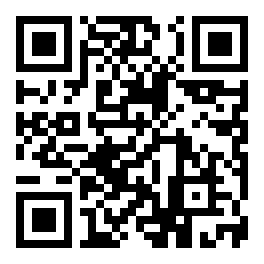
Scan to download
System Requirements & Version Details
The tk567 app works on most Android phones made in the last five years. Check the table below before downloading, then use the button to get the latest build.
| Property | Details |
|---|---|
| Version | 3.2.12 |
| File Name | tk567.apk |
| File Size | 32 MB |
| Minimum Android | Android 7.0 (Nougat) or higher |
| Last Updated | 9 November 2026 |
| Price | Free |
| Languages | English / Bangla |
| Platform | Android (APK sideload) |
| iOS Support | Mobile web + Add to Home Screen |
Get the tk567 App
Direct APK download — no Google Play needed. Works on Samsung, Xiaomi, Realme, Oppo, Tecno and all popular Android phones sold in Bangladesh.
Download tk567.apk32 MB · Version 3.2.12 · Free
New player? Register first, then install the app to claim your welcome bonus.
Six things the tk567 app does well
The app is not a stripped-down version of the site. Every game, payment method, and account feature is available from your phone.
Live Cricket Betting
Follow BPL, IPL, T20 World Cup, and ODI series with ball-by-ball markets. Odds update in real time and you can place in-play bets between overs directly from the app — no need to open a browser tab.
2,300+ Casino Games
Slots, fishing games, live tables from Evolution, and card games all load within the app. Titles like Ludo Quick, Ganesh Fortune, and Deuces Wild are optimised for smaller screens and touch controls — no lag on 4G.
Crash Games & Aviator
Play Aviator and other crash-style rounds with the same low-latency connection you get on desktop. The multiplier counter renders smoothly even on mid-range phones. Set auto cash-out inside the app to lock in your exit point.
bKash & Nagad Deposits
Deposit via bKash, Nagad, Rocket, or Upay without leaving the app. Minimum deposit is ৳150 and funds arrive in about 1 minute. Withdrawals are processed within 27 minutes straight to your mobile wallet.
Push Notifications
Get alerts for match kick-off reminders, bonus expiry, withdrawal confirmations, and new promotions. Notifications arrive even when the app is in the background, so you never miss a live market opening before a big Bangladesh match.
Full Account Management
Upload KYC documents, check your VIP tier, view transaction history, and contact 24/7 live chat without switching to a browser. The app handles everything from first deposit right through to withdrawal and account verification.
Popular in the App Right Now


App vs. browser: which one should you use?
Both give you full access to your tk567 account. The app has a few practical advantages if you bet on mobile regularly — here is the honest comparison.
| Feature | tk567 App | Mobile Browser |
|---|---|---|
| Push notifications for matches & bonuses | — | |
| Works without an open browser tab | — | |
| Faster load time on 3G/4G | Cached assets | Slower cold load |
| Fingerprint / PIN login | Password only | |
| Quick deposit via bKash intent | Direct handoff | Copy & paste |
| All 2,300+ games available | ||
| Live cricket betting | ||
| KYC document upload | Camera direct | File picker |
| File size / install required | 32 MB one-time | Nothing to install |
| iOS support | Android only | Safari / Chrome |
If you are on iPhone or iPad, use Safari and tap Share → Add to Home Screen to get a shortcut that opens tk567 like a native app. See the iOS guide below.
Android installation: 5 steps from download to first bet
Android blocks APK files from outside the Play Store by default. The steps below take about 90 seconds and you only need to do this once.
-
1
Allow installations from unknown sources
Open your phone's Settings → Security (on Samsung it is Settings → Biometrics and Security → Install Unknown Apps). Find your browser (Chrome or the Samsung browser) in the list and toggle Allow from this source to On. This one-time permission tells Android it is safe to install APK files you download yourself. You can turn it off again after installation.
-
2
Download tk567.apk to your phone
Tap the Download APK button on this page. Your browser will save tk567.apk (32 MB) to your Downloads folder. On a decent 4G connection this takes around 15 seconds. If your browser asks "this type of file can harm your device" — tap Download anyway; that is a standard Android warning for all APK files, not specific to tk567.
-
3
Open the file and start installation
Pull down your notification shade and tap the completed download, or open your Files / My Files app and navigate to Downloads. Tap tk567.apk. Android will show you a permissions summary screen. Tap Install. The process takes about 10 seconds — you will see a progress bar at the bottom of the screen.
-
4
Open the tk567 app and log in
Once Android shows "App installed", tap Open. The tk567 app launches and shows the home screen. If you already have an account, tap Log In and use your registered mobile number and password. First time? Tap Register to create a free account in under two minutes — see the registration page for details on the welcome bonus.
-
5
Deposit and start playing
Go to Account → Deposit, pick bKash, Nagad, Rocket, Upay, or Bank Transfer. The minimum deposit is ৳150. Funds arrive in about 1 minute. Head to Cricket, Casino, or Crash in the bottom navigation to place your first bet. Your tk567 account balance and bonus wallet sync instantly between the app and the website — no separate login needed.
iPhone / iPad
Apple does not allow APK files. Instead, add tk567 to your iPhone home screen for a near-native experience:
- Open Safari and go to tk567.wine
- Tap the Share button (box with arrow at the bottom of the screen)
- Scroll down and tap Add to Home Screen
- Name it "tk567" and tap Add
- The tk567 icon appears on your home screen and opens like an app
All features — cricket betting, casino, bKash payments, live chat — work in the Safari web app. Push notifications are not available on iOS.
Permissions the app requests — and why
The tk567 app asks for four permissions on first launch. Here is exactly what each one is used for so you can make an informed decision.
KYC document upload
Camera access is used only when you upload your National ID, Passport, or Driving Licence for KYC verification — which is required before your first withdrawal. Storage permission lets the app save your KYC document photos locally before upload. The app never accesses your photo library without you choosing a file. Camera is not used during gameplay.
Match alerts and transaction updates
Push notification permission enables match start reminders (useful for BPL and IPL), bonus expiry alerts 24 hours before deadline, and withdrawal confirmation messages. You control which notification types are on or off inside App Settings → Notifications. Disabling notifications does not affect gameplay or payments — it is optional.
All connections are encrypted
Every request the tk567 app makes — login, deposit, game launch, withdrawal — goes over TLS 1.3 encrypted HTTPS. Your account password is never stored on the device in plain text. The APK itself is signed with a developer certificate; Android will warn you if the file has been tampered with after download, so you can trust the version from this page.
Fingerprint login to skip typing
If your phone has a fingerprint sensor, the tk567 app offers biometric login after your first password sign-in. This stores an encrypted token on your device — not your actual password. You can disable biometric login at any time in Account → Security Settings. It is an optional convenience feature, not required for account access.
Installation not going smoothly?
These five problems cover almost every install failure reported by tk567 users in Bangladesh. Find your symptom in the first column and follow the fix.
| Problem | Likely cause | How to fix it |
|---|---|---|
| "Install blocked" or "Blocked by Play Protect" | Android's default security setting prevents APKs from outside the Play Store | Go to Settings → Security → Install Unknown Apps, find your browser, and toggle Allow from this source on. Then try installing again. After installation you can toggle it back off. |
| Download stops at 60–80% and fails | Unstable 3G/4G connection or low phone storage | Connect to Wi-Fi if available, or move to an area with stronger signal. Check that you have at least 100 MB free storage (the app needs 32 MB plus extraction space). Clear your browser cache and restart the download from this page. |
| "App not installed" message after tapping Install | An older version of the tk567 app is still on the phone, or the APK file is corrupted | Go to Settings → Apps, find any existing tk567 app, and tap Uninstall. Then delete the downloaded APK from your Downloads folder and re-download the latest version (3.2.12) from this page. Try installing again. |
| App installs but crashes immediately on open | Android version below 7.0, or insufficient RAM | Check your Android version at Settings → About Phone → Software Information. If it is below 7.0, the app is not compatible — use the mobile browser version of tk567 instead. If Android is 7.0+, restart your phone and try opening the app again. |
| Login works but games do not load | Slow connection or DNS issue on some ISPs in Bangladesh | Switch from your carrier's default data to a different network if possible, or toggle Airplane Mode off and on to reset your connection. If the problem continues on Wi-Fi, contact tk567's 24/7 live chat from the app's Help menu — support can check server status on your account. |
Still stuck? The tk567 live chat is available around the clock. Tap the chat icon inside the app or visit the login page and use the help link at the bottom.
Questions players ask about the tk567 app
Practical answers — no filler. If your question is not here, the 24/7 live chat is in the app.
Is the tk567 APK file safe to install?
Yes. The APK hosted at /download/tk567.apk on this domain is the official build. Android Play Protect scans every APK before installation and will warn you if something looks wrong. The app does not request access to your contacts, SMS, call logs, or any other personal data beyond what is listed in the permissions section above. All game and payment data is transmitted over TLS 1.3 encryption, the same standard used by banks.
Why does the Play Store not have the tk567 app?
Google Play's policies restrict gambling apps in several regions, including Bangladesh. This is why tk567 — like most betting platforms operating in Bangladesh — distributes through direct APK download. The APK method is completely legal for users: you are simply downloading a file from a website, the same as downloading any app from outside the Play Store. The file is scanned and signed before release.
How do I update the app when a new version comes out?
The tk567 app checks for updates automatically when you open it on a live connection. If a newer version is available, a banner appears at the top of the home screen with an "Update Now" button. Tapping it downloads the new APK in the background and installs it without you losing your session or account data. You can also come back to this page and download the latest APK manually — the current version is always listed in the system requirements table above.
Can I use the same account on both the app and the website?
Yes. Your tk567 account is linked to your registered mobile number, not to a specific device or platform. You can log in on the app, place a cricket bet, then log in on a browser from a different device and see the same balance, transaction history, and active bonuses. There is no need to create a separate account for the app. If you are logged in on two devices simultaneously, both sessions stay active until you manually log out.
What is the minimum deposit through the app?
The minimum deposit is ৳150 for all payment methods — bKash, Nagad, Rocket, Upay, and Bank Transfer. Deposits arrive in about 1 minute. The minimum withdrawal amount is ৳600, and withdrawals are processed within 27 minutes on most days. Your first withdrawal may take up to 6 hours while KYC verification is reviewed. After that, all subsequent withdrawals follow the standard 27-minute timeline.
Does the app work on tablets or only phones?
The tk567 app works on Android tablets running Android 7.0 or higher. The layout scales to larger screens and game tiles display in a wider grid on tablets with screens above 7 inches. Live dealer games from Evolution look particularly good on a 10-inch screen. For iPads, use Safari and add tk567.wine to your home screen as described in the iOS section above — the site is fully responsive and renders well on iPad screen sizes.
What happens to my bonus if I register through the app?
Registering through the tk567 app gives you exactly the same welcome bonus as registering on the website: 220% on your first deposit, up to ৳6,000. The wagering requirement is 22× the bonus amount. Make your first deposit via bKash or Nagad inside the app after registering, and the bonus credits to your bonus wallet automatically within a few seconds. You can track progress toward the wagering requirement in Account → Bonus Wallet.